

Picture a plan review manager on a Tuesday morning. Fourteen resubmittals are waiting. One reviewer position has been open since spring. And three vendors have each sent a slick demo video promising AI that will clear the backlog.
Every demo looks good. Demos are built to. The harder question is whether a tool will hold up on your plans, against your adopted codes, with your reviewers’ judgment still in charge.
This guide covers what to look for in AI plan review software and, more importantly, how to test it on plan sets your team has already reviewed before you commit.
What AI plan review software does, and what it doesn’t
AI plan review software reads a set of construction drawings, checks them against code requirements, and flags potential issues for a reviewer to look at. Good tools tie each flag to a specific code section and a specific sheet, so the reviewer can confirm or dismiss it in seconds instead of hunting for it.
It does not approve permits. It does not make final code determinations. The reviewer still decides what goes in the comment letter, and the department still owns the outcome.
It also helps to separate two jobs that often get lumped together:
- Completeness checks at intake. Is the application missing a required document, sheet, or piece of information? Catching this early keeps incomplete packages out of the review queue.
- Formal plan review. Does the design meet the code? This is where reviewer expertise matters most, and where AI can help reviewers find and organize potential issues faster.
Some departments start with intake. Others start with review. Knowing which problem is costing you more time will shape which tool, and which features, you should weigh most heavily.
Why departments are looking now
Most building officials don’t need convincing that capacity is tight. The numbers back it up. In a 2014 survey of 3,850 code professionals, the International Code Council and the National Institute of Building Sciences found that more than 80% planned to retire within 15 years, and 31% within five (ICC/NIBS, The Future of Code Officials). That 15-year window is now closing.
Turnaround times show the pressure too. The City of Seattle reported a baseline of 54.5 median calendar days for an application to pass intake, with an average of 2.55 intake cycles, and 161 median calendar days for plan review (City of Seattle, 2026). Every extra cycle is reviewer time spent on something that could have been caught earlier.
7 criteria that matter
1. The reviewer stays in control
Every finding should be a suggestion a reviewer can accept, edit, or dismiss. If a vendor describes the software as “approving” anything, keep asking questions. Your staff’s professional judgment is the product your department delivers to the public.
2. Your codes, including local amendments
Ask which code editions the tool checks against, and how it handles your local amendments. A tool built around the model code alone will generate flags your reviewers have to override, and that erodes trust quickly.
3. Cited findings
A flag that says “egress issue” is a starting point. A flag that names the code section, the sheet, and the location on the sheet is something a reviewer can act on. Citations are also what make AI findings defensible when an applicant pushes back.
4. Discipline coverage
Find out which disciplines are covered today, not on the roadmap. Building, fire and life safety, accessibility, mechanical, and plumbing reviewers all have different needs. A tool that only helps one group may still be worth it, as long as you know that going in.
5. Standard PDFs, no special prep
Applicants submit what they submit. If the software needs specially formatted files or BIM models to work, someone on your team will end up doing that prep, and the time savings disappear.
6. Works with your permitting system
Most departments have already invested in a permitting platform. AI plan review should add to that workflow rather than replace it. Ask how findings move into your existing system and how reviewers will switch between the two.
7. Security and data handling
Plan sets are sensitive documents. Ask where data is hosted, how it’s encrypted, whether the vendor has an independent security audit, and whether your plans will be used to train AI models. Get the answers in writing.
How to test a vendor on your own plans
This is the step most evaluations skip, and it’s the one that tells you the most. Before you sign anything, ask each vendor to run plan sets your department has already reviewed. Then compare the software’s findings against what your reviewers actually wrote.
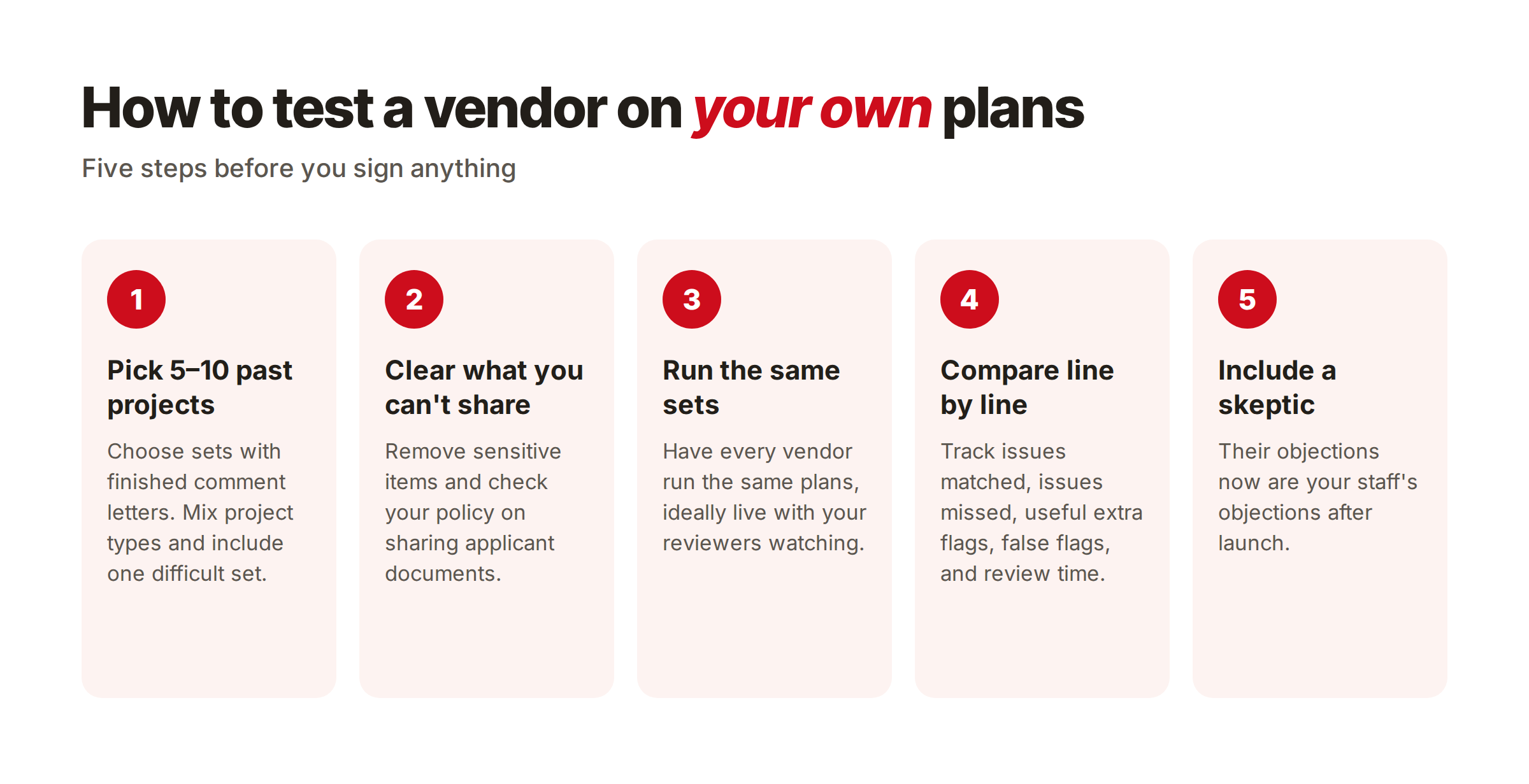
Here’s a simple way to set it up:
- Pick 5 to 10 past projects with finished comment letters. Mix project types: a tenant fit-out, a small commercial building, a multifamily project. Include at least one set your team found difficult.
- Remove anything you can’t share, and check your own policies on sharing applicant documents with a vendor during evaluation.
- Have each vendor run the same sets. A live working session, where your reviewers watch the results come in, beats a report sent afterward.
- Compare line by line. For each project, track:
- Issues your reviewers caught that the tool missed
- Useful issues the tool flagged that weren’t in the comment letter
- False flags that a reviewer would have to dismiss
- Rough reviewer minutes to go through the findings
- Include a skeptic. Put at least one reviewer who doubts AI tools in the room. Their objections will be your staff’s objections after launch, so it’s better to hear them now.
While you’re at it, ask how long setup takes. Answers vary a lot. Some vendors publish rollout timelines of four to eight months from contract to launch. Others can onboard a department in days. Either can be the right fit, but you should know which one you’re buying.
A simple vendor scorecard
Score each vendor from 1 (weak) to 5 (strong) on each line, using what you saw in the test, not what you saw in the demo.
| Criterion | What a 5 looks like | Vendor A | Vendor B |
|---|---|---|---|
| Reviewer control | Every finding can be accepted, edited, or dismissed | ||
| Code and amendment coverage | Checks your adopted editions and local amendments | ||
| Cited findings | Each flag names the code section and sheet location | ||
| Discipline coverage | Covers the disciplines that drive your backlog today | ||
| Standard PDF support | Ran your past sets with no special prep | ||
| Fits your permitting system | Clear path for findings into your current workflow | ||
| Security | Independent audit, encryption, no training on your data | ||
| Test results: issues matched | Caught most of what your reviewers caught | ||
| Test results: false flags | Few flags your reviewers had to dismiss | ||
| Setup time | A clear, short timeline with named steps |
Free download
Get the editable vendor scorecard
The Excel version does the scoring for you. It includes:
- A weighted scoring sheet for 3 vendors
- A test tracking sheet for your past plan sets (optional)
- An automatic side-by-side summary by vendor
We’re also sending a copy to your inbox.
Questions to ask every vendor
- Can you run one of our past plan sets and show us a finding with the code section behind it?
- Which code editions do you support today, and how do you handle our local amendments?
- How does a reviewer accept, edit, or dismiss a finding?
- How do findings get into our permitting system?
- How do you handle resubmittals and revised sheets?
- Where is our data hosted, and is it ever used to train your models?
- What happens to our plan data after the evaluation if we don’t move forward?
- How long, specifically, from signed contract to reviewers using it on live projects?
Where CodeComply fits
CodeComply was built by plan reviewers for plan reviewers. AI Plan Review analyzes plan sets against IBC, IPC, IMC, NFPA 101, ADA, FHA, and state-amended building and residential codes, and returns cited findings that reviewers can confirm, edit, or dismiss. It also compares revised sheets against earlier versions, so resubmittals take less time. Custom local jurisdictions are easy to add.
For intake, AI PreCheck helps applicants check that a submission includes the required information before it reaches your desk.
CodeComply works alongside existing permitting systems. Our partnership with CivicPlus is one example. Onboarding and full setup can happen in 24 hours.
The bottom line
The right tool is the one that holds up on plans your team already knows, with your codes and your reviewers in charge. Run the test, fill in the scorecard, and let the results make the case. If CodeComply is on your list, send us a plan set and we’ll walk you through the results in your demo.
See how AI Plan Review fits your department’s workflow →
Frequently asked questions
Does AI plan review replace plan reviewers?
No. AI plan review software flags potential code issues and organizes findings. Reviewers decide what goes in the comment letter, and the department makes every permit decision.
Which building codes can AI plan review software check?
It depends on the vendor, so ask for a current list. CodeComply supports IBC, IPC, IMC, NFPA 101, ADA, FHA, and state-amended building and residential codes, and custom local jurisdictions are easy to add.
How long does it take to set up?
Timelines vary widely across vendors, from days to several months. CodeComply can be onboarded and fully set up in 24 hours.
Is our plan data secure?
Ask every vendor for specifics. CodeComply has completed a SOC 2 Type I examination, hosts data on AWS in US data centers, encrypts data at rest with AES-256 and in transit with TLS 1.2 or higher, and undergoes annual external penetration testing. Customer data is never used to train AI models, and customers keep ownership of their data.
What’s the difference between AI plan review and a completeness check?
A completeness check confirms an application includes the required documents and information before review starts. AI plan review looks at the design itself and flags potential code issues for a reviewer. Many departments benefit from both.